News alert – huge upgrade to the Glow platform!
We are excited to announce a major upgrade to the Glow platform. We have massively enhanced our analysis capabilities and have just launched the first set of new features in beta. 🦾
To ensure a smooth transition, we’ll be rolling out these new features gradually. In this article, we will provide an overview of the key changes, and in future blog posts, we will delve deeper into specific functionalities. Let’s Glow!
Analysis Dashboard Overhaul
We’ve step-changed the platform’s analysis capabilities with the launch of the imaginatively titled Analysis Version 2 (AV2).
It is 10 times faster than AV1 and even more powerful with a raft of new features that make it truly market-leading! Think of it like a powered up Qualtrics, SurveyMonkey on steroids, or a quicker version of Q analysis software. Bold claims we know, but this upgrade is the 💣.
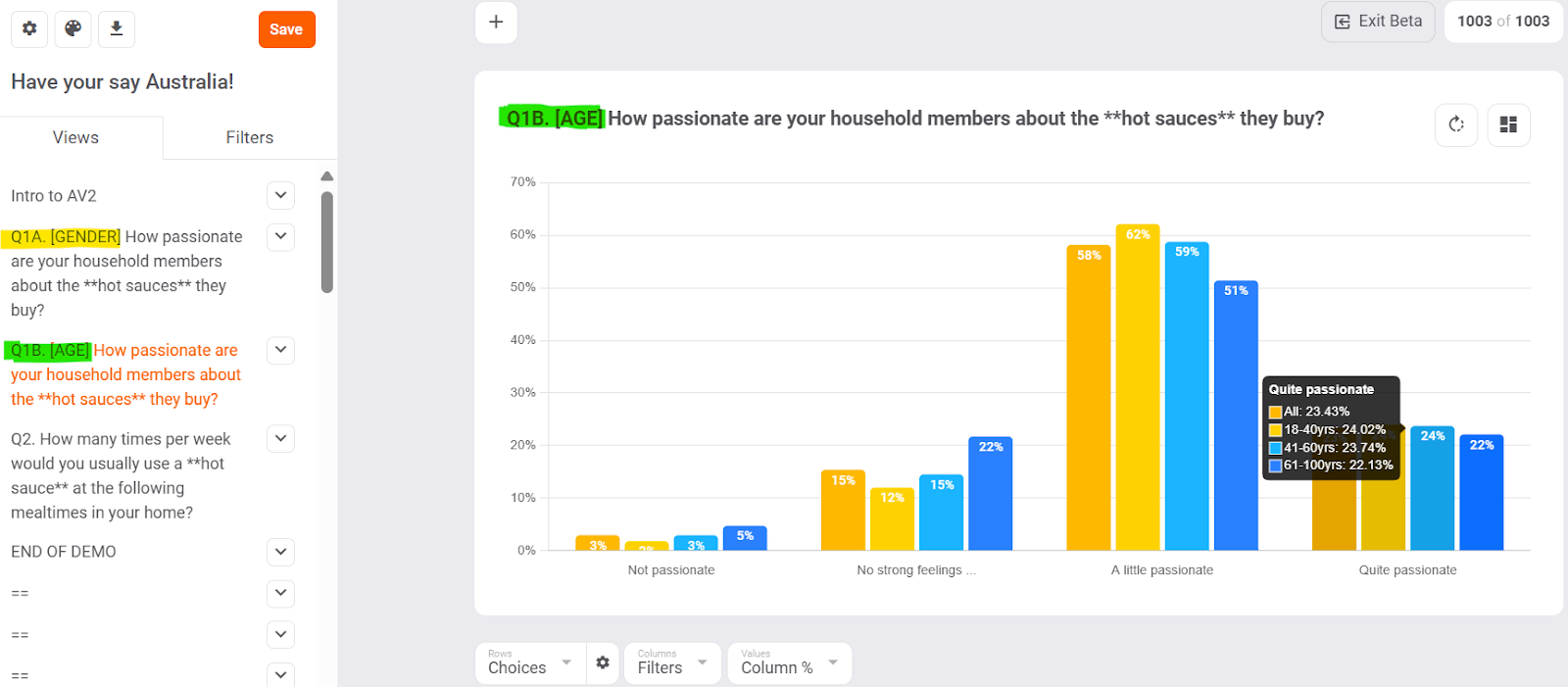
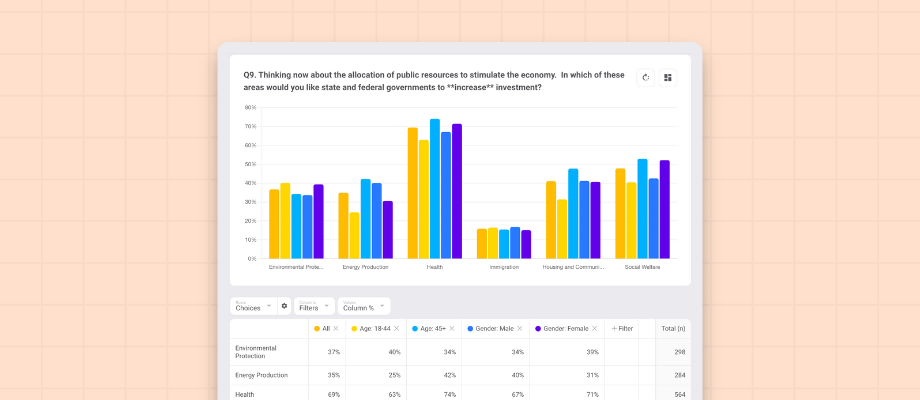
AV2 lets you instantly create charted crosstabs & time series for choice, matrix, rank, constant sum, and looped questions across all your audience filters in group bar charts, stack bar charts, (and word clouds for text questions).
Phew, that’s a lot!
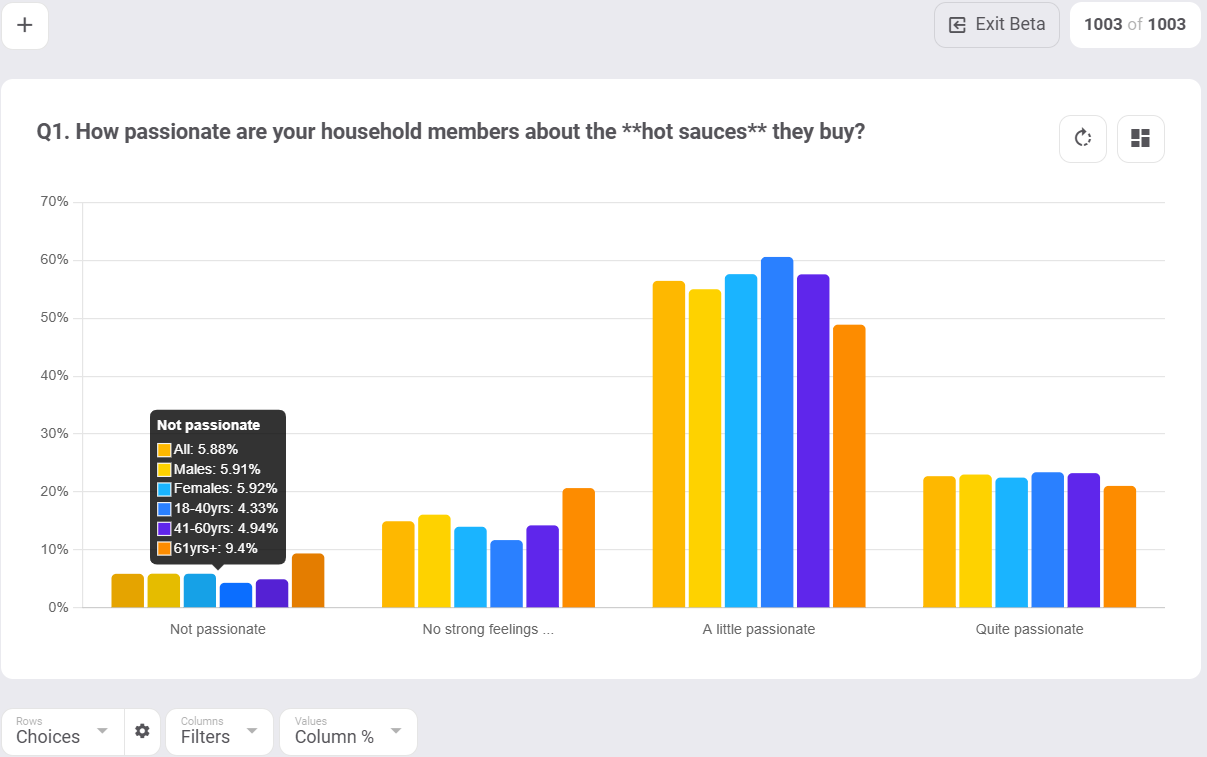
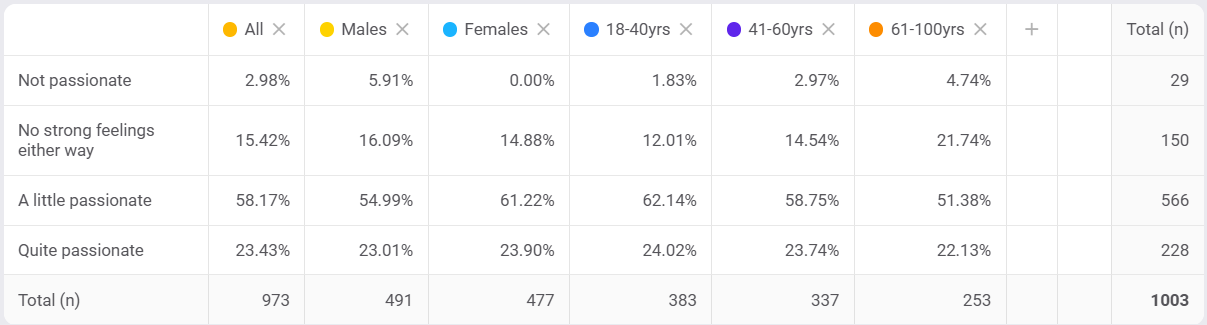
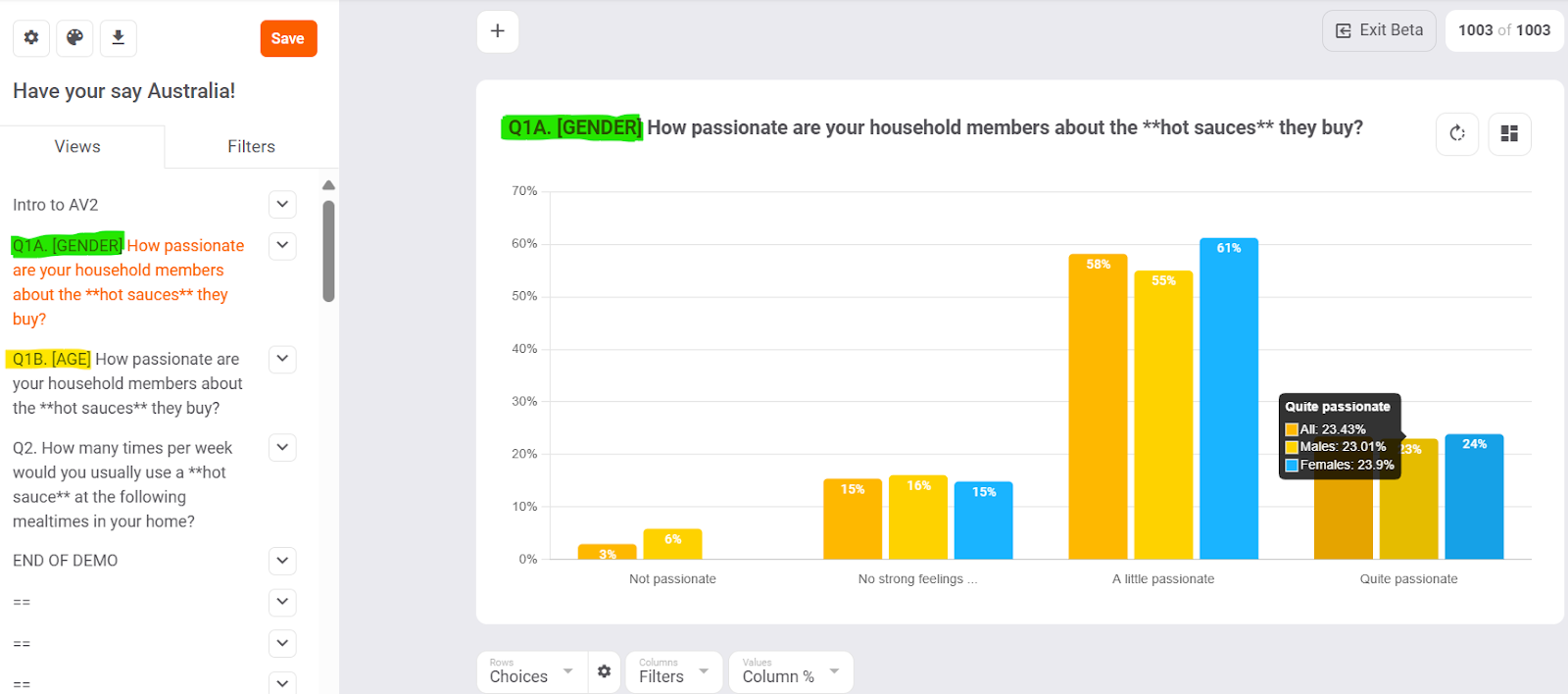
Example - Passion for hot sauce split by age and gender
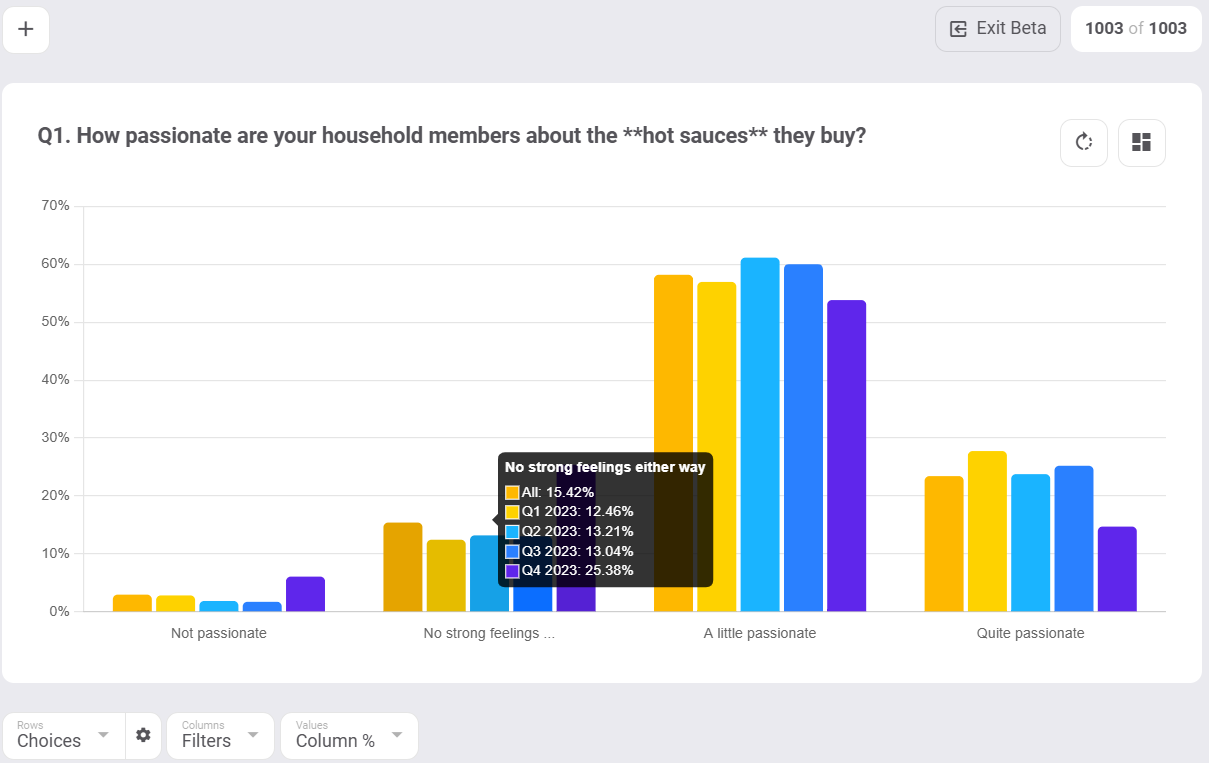
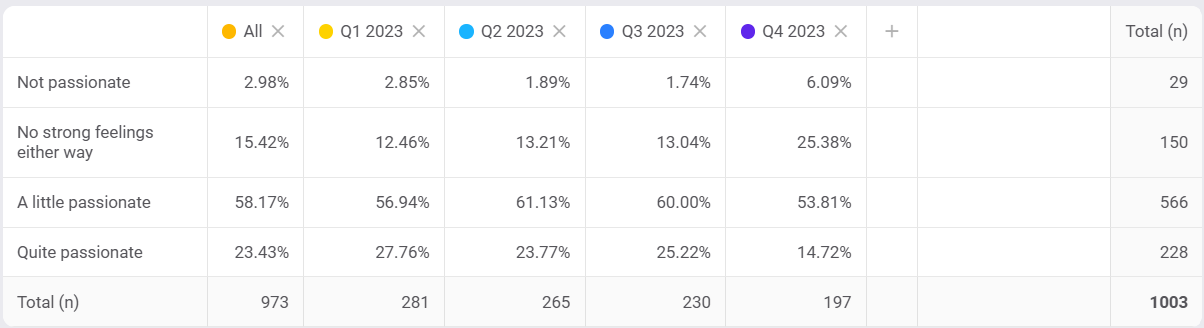
Example - Passion for hot sauce split by time (quarterly)
The power of AV2 is driven by upgraded Filters, which let you segment your audience any way you want. You can then slice and dice your questions to create powerful charted crosstabs and time series visuals.
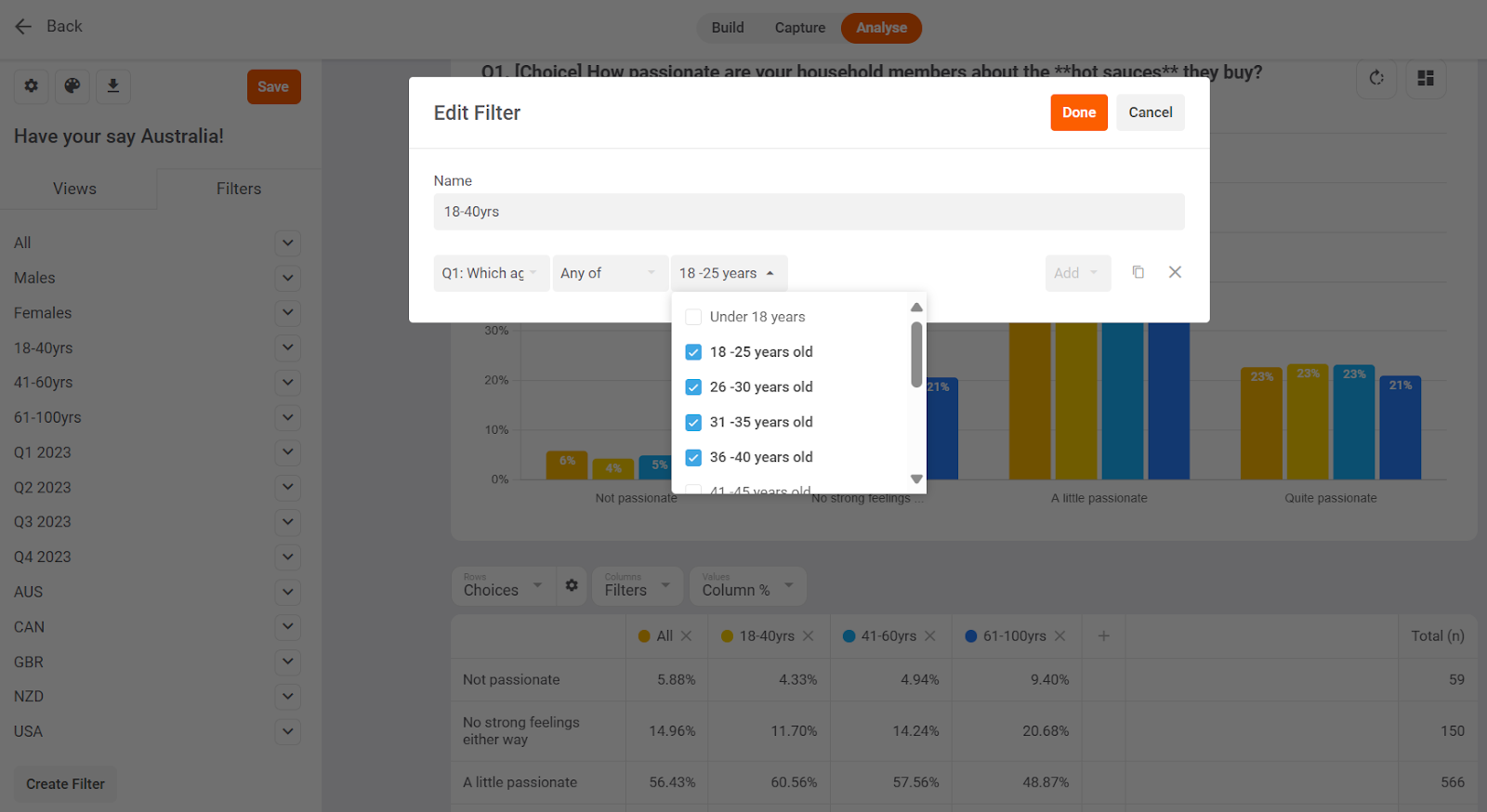
Filters enable you to use any combination of ‘Any of’, ‘All of’, ‘None of’, ‘Exactly’, as well as ‘AND’ and ‘OR’ logic to combine variables such as gender, age, time, country, personas, brands, segments and specific answers. Here’s a simple example of creating an age filter for 18-40yrs
Example - 18-40yrs = Any of “18-25”, “26-30”, “31-35”, “36-40”
You can access the power of AV2 by simply going to your Analyse tab and clicking Try Beta in the banner. If you prefer to use the simpler version for analysis just hit the Exit Beta button – you can switch back and forth between them as you wish.
Watch the overview video to see how the new functionality works.
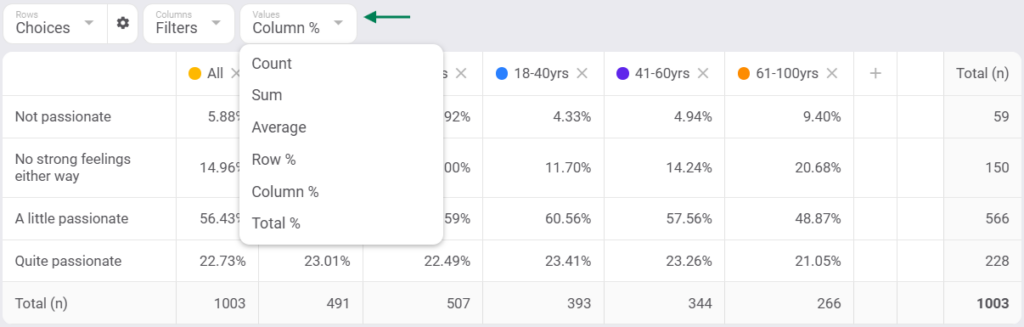
Select Values
Choose what values you want to see in your analysis. Select from counts, percentages, sums, or averages for your answers.
Configuration
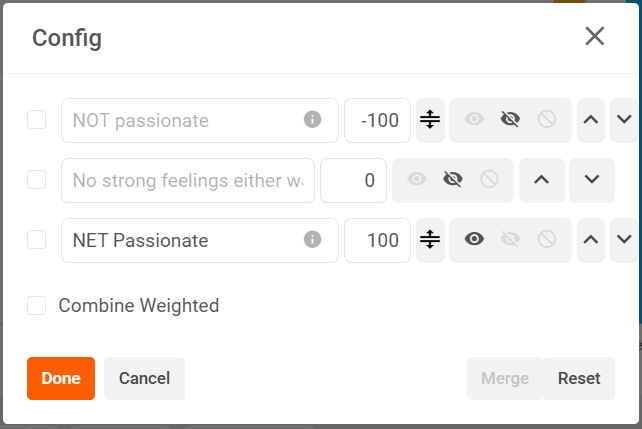
Use Config (netting) to merge, unmerge, rename, move, hide, exclude, and score question choices in your View. Great for netting together positive answers or removing responses you may not be interested in.
Question Multi-View
Duplicate responses to a single question to review the data in different ways. For example, look at ‘Males v Females’ in one view and age breaks in another.
Example - 1st view of question - Gender breakdown in responses
Example - 2nd view of question - Age breakdown in responses
Pre-filters
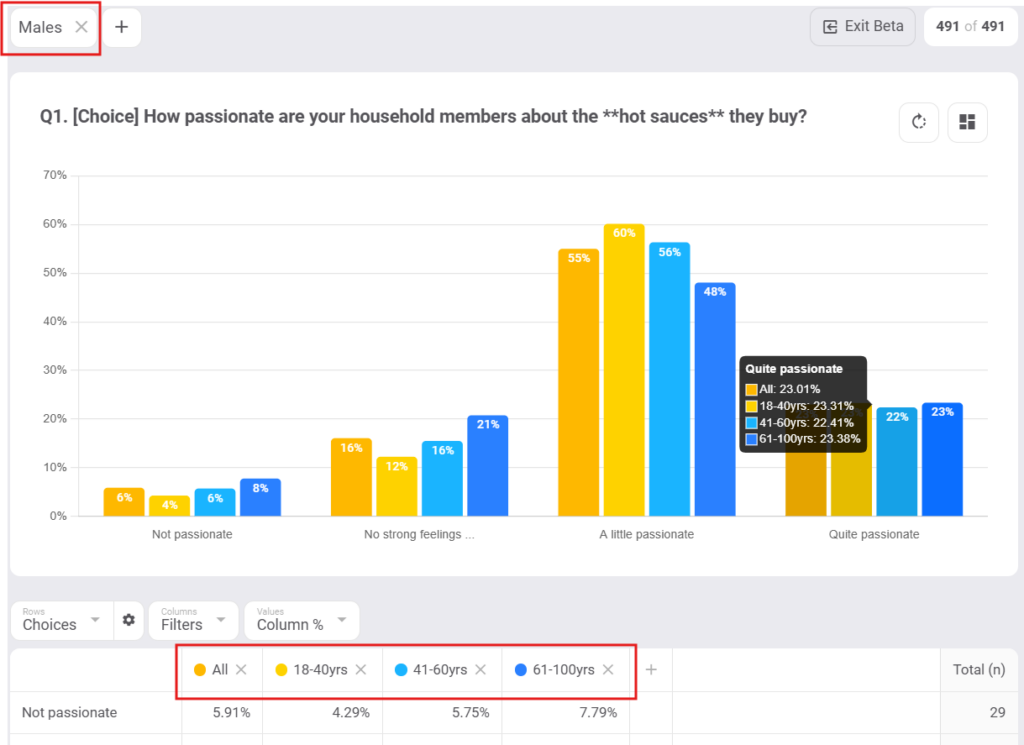
Drill down deep into your data using Pre Filters to double, triple or even quadruple interlock your data (with enough sample size).
Example - pre-filtering by Males
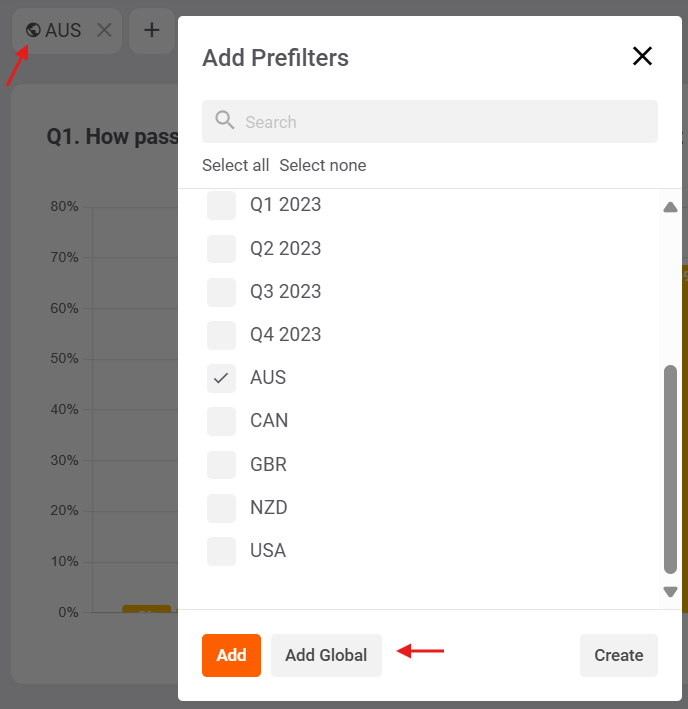
Global and local pre filters permit you to slice & dice your views either one at a time or all at once, so you can save time.
Try the new features now
Give the new features a try – simply log in to the platform now, or speak to your Account Manager for a demonstration.
If you are not a Glow user yet, Book an Intro with our friendly team to see how Glow can power up your decision-making.
Stay tuned for a deep dive into using the most popular question type, ‘Choices’, very soon.
Manny Marasigan
Product Manager at Glow